
UK and Ireland
Metres by default- 400 mm stud and joist centres, metric sheets
- Ground screws or concrete pads under garden rooms
- Flush beams on decks, slotted concrete fence posts
- Feather edge, cedar, composite and slatted cladding
Free in your browser · no sign-up
Enter the size. Get the frame, sheets, cladding, roof, insulation and base, worked to UK, Irish, US or Canadian practice.
How it works
The first two steps are free and need no account. Pay only when you want the pages you cut and build from.
Step 1
Width, length and height in metres or feet. Pick your country and its building practice follows.
Step 2
Frame, sheets, cladding, roof, base and fixings, each with the rule it came from.
Step 3
Cut list in stock lengths, the diagonal to square the frame, yard sheet and build order.
Start from a popular style
Pick a style in the calculator, then change the size, roof, doors, windows or cladding. The 3D and the material list follow every change. In the US and Canada the styles switch to local materials.
Built the local way
Pick your country and the tools switch to the stock sizes and build methods used there. Materials from different regions never mix in one list.
A take-off to local building practice, not a structural design or a building-control approval.
Choose the job
Each tool asks only for what matters to that structure, and returns a material list you can inspect.
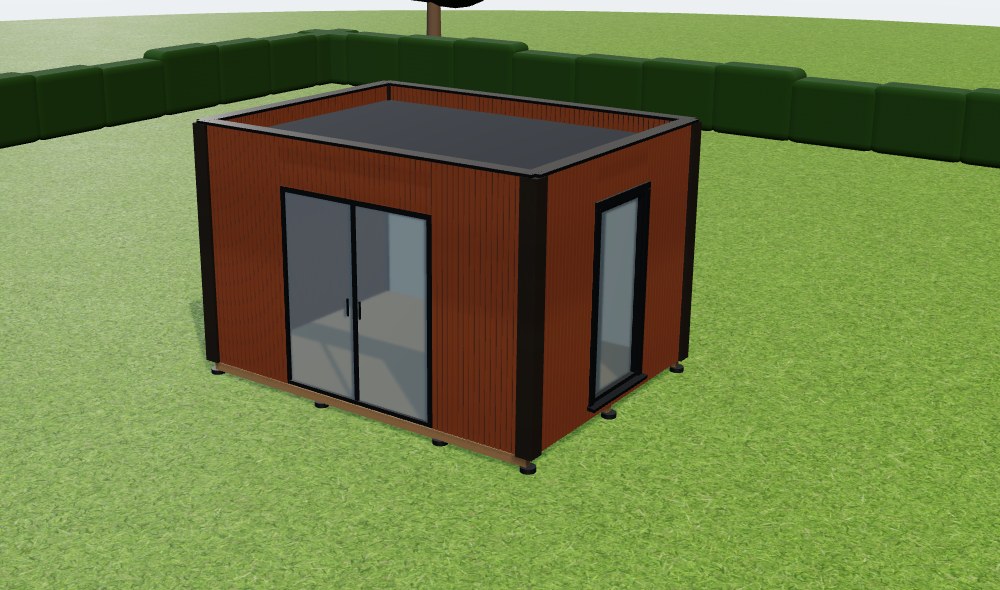
Size a garden room shell and count the frame, sheets, cladding, roof, insulation and base materials.
3D shell · full take-off · summary PDF
Calculate my garden roomSet the footprint, height, boards, railings, stairs and pergola. See the model update, then check framing and quantities.
3D model · full take-off · summary PDF
Calculate my deckLay out a fence run and calculate panels, posts, rails, boards, concrete and fixings from its actual length.
3D view · full take-off · summary PDF
Calculate my fenceWhy it matters
Most free planners stop at the picture, and some only count their own brand's boards. The merchant still asks how many studs, which sheets and how much cladding. Here is the same 4 m × 3 m garden room both ways.
A render on its own
You still have to work out the structure before you can order anything.
BuildPlot3D take-off
Plus roof covering, base and fixings, with the rule behind each number shown. Inspect it free; get the order-ready files in the complete pack.
Numbers above are worked out live by the same take-off the calculator uses (UK practice, Vertical timber slats). It is a take-off, not a structural design.
Get the list for your garden roomFree vs the pack
The list tells you what to buy. The pack tells you how to cut it and put it together.
No account needed. A free account keeps 25 jobs.
One payment. No subscription. Kept for good.
Doing this every week? Plans from $19/mo
Built to be checked
Draw the structure, inspect the full take-off on screen and save a summary PDF. Create an account only when you want to save your work.
Change measurements and inspect the model while you are standing where the structure will go. There is no app to install.
There is no merchant catalogue or affiliate basket. Costs appear only from the supplier rates you enter yourself, on any plan.
See the spacing, waste allowance, stock lengths and regional source used for each result. L and U layouts update the frame and perimeter calculations too.
Material take-off
Quantities, cut lengths, stock and fixings before ordering.
Full Build Pack
Dimensioned plan, cut list, order file and site sequence.
Regional setup
UK, Irish, US or Canadian practice, in metres or feet.
Saved jobs
A free account keeps 25 jobs with your own rates.
Quick calculators
If you only need one answer, start here. Open the full designer when you need the 3D model and complete list.
Frame, sheets, cladding, roof, insulation and base for the shell.
How many decking boards a given area needs, with the frame under it.
Board counts and fixings for composite boards and hidden clips.
Equal step rise, going, treads and stringers for the drop to the ground.
Panels, posts, rails, gravel boards and concrete for a fence run.
No false precision
Common questions
Yes. The designer, the 3D model and the take-off are built for a phone first, so you can change measurements on site. No app to install.
The designer compares common stock lengths for the country you pick and shows the offcut percentage for each. You can then choose the option that suits the job.
You can use the designer, inspect the 3D model and full material take-off, and export a summary PDF. The merchant CSV, dimensioned plan and exact cut list come with a job pack or paid plan. An account is only needed to save designs and use account features.
No. Material and labour prices vary by supplier and account. Costs appear only after you enter your own rates; BuildPlot3D does not insert national averages or invented prices.
Only things a merchant can hand over: boards, timber, posts, concrete, sheets and fixings, in metres or feet to match your job. Every line is checked before the pack prints, so there are no zero lines, repeats or mixed units. It comes with a one-off job pack or any paid plan, for decks, fences and garden rooms.
No. It is a planning and material take-off aid. Check the structure, local requirements and final order before construction.
No account required